OK, forgive any thing that comes across strangely as I’m voice dictating this I’ll try and fix things later
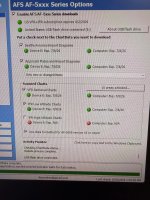
So I’ve done a lot of troubleshooting on this and I’ve been back-and-forth to Home several times I purchased brand new 32 GB USB 3.2 drives and formatted and uploaded charts on those and then reformatted my old drives a fresh and neither the new or old were recognized
I then tried plugging the USB directly in the back of the monitor, but this did not work
I noted that the map cycle remained the same whether I had a USB plugged in or not.
All of this suggested to me that the USB drive was not being read and the map that it said was available is likely what came from advanced Flight when I upgraded the system a few months ago
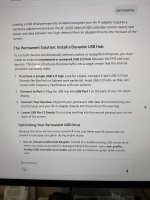
When trying to ask about this online, I saw something an old post from 2018 where someone had a failed power supply to a dino USB port when only one of their two ports was being red. They had an expensive repair sending the unit in the dine on and getting the USB power supply changed out, and there was also some mention of only one of the two USB ports being read as if there’s a conflict between the USB chart, data, and the USB Wi-Fi adapter
So I unplugged the Wi-Fi adapter and move the map to the Wi-Fi adapter USB port and everything worked well
So I guess now I need to better understand what the impact of not having a Wi-Fi adapter is I’m not sure if I get weather and traffic over Wi-Fi or Hardwire
I’ll send another email to Jonathan